
Vampire Savior
English restoration
Screenshots
US version
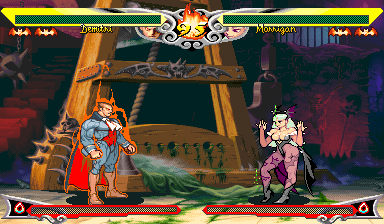
English Restoration


US version
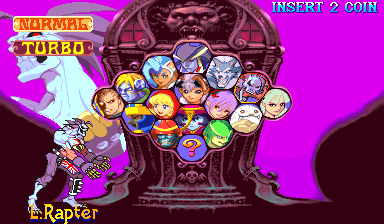
English Restoration

US version
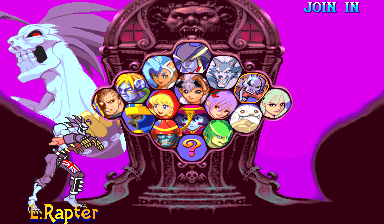
English Restoration
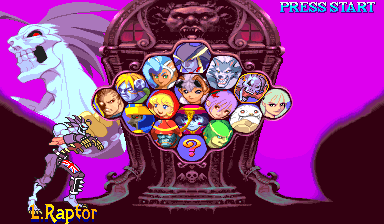
About this patch
Vampire Savior wasn't the same game everywhere. The export versions recolored Jedah's blood purple and Forever Torment's green, cut a few gory touches entirely, and defaulted to sweat instead of blood. Their English script dropped fourteen win quotes and 47 ending pages. Even the damage values differ: in places the export versions hit a little harder.
The English Restoration is the Japanese game, in English. The blood is red again, everywhere it was in Japan. All 241 win quotes and every ending page are here, translated from the Japanese: where Capcom's English said the same thing it's kept, and everything else is newly translated, including the pages the export dropped. The fights run on Japan's damage values and Japan's computer difficulty.
Out of the box it's set up like a Japanese cabinet: blood on, Auto guard selectable at the select screen, one coin one credit. The operator menu and the Western character names stay as the US version has them, and Lord Raptor's name finally reads L.Raptor instead of L.Rapter.
It's a USA build that runs in MAME, HBMAME and on MiSTer. The Japanese version already has everything above, so there's no Japan build for now.
This is a release candidate.
What's changed
- All 241 win quotes from the Japanese game, in English, including the fourteen the US version dropped
- Every ending page from the Japanese game, in English, including the 47 the US version dropped, with Japan's page timing
- The dialogue before the final battle with Jedah, checked line by line against the Japanese and revised where Capcom's English strayed
- Red blood: Jedah's attacks (purple in the US version), Forever Torment's guillotine and well (green), and hit blood on by default
- Lord Raptor's blood spray in his bite throw, and the paper notice in Bishamon's Togakubi Sarashi finish, both cut from the export versions
- Japan's damage values and computer difficulty
- Set up like a Japanese cabinet: blood on, Auto guard selectable, one coin one credit
- Lord Raptor's name spelled right
Compared with the arcade versions
How the English Restoration compares with the Japanese and US versions.
| Japan | USA | English Restoration | |
|---|---|---|---|
| Language | Japanese | English | English |
| Win quotes | 241 | 227 | 241, translated from the Japanese |
| Ending pages | All | 47 dropped | All, translated from the Japanese |
| Hit blood out of the box | Blood | Sweat | Blood |
| Jedah's blood | Red | Purple | Red |
| Forever Torment's blood | Red | Green | Red |
| Lord Raptor's bite-throw spray | Yes | No | Yes |
| Auto guard at the select screen | On | Off until the operator enables it | On |
| Damage values | Japan's | Higher in places | Japan's |
| Computer difficulty | Japan's | Export's | Japan's |
| Character names | Japanese | Western | Western |
Spot a difference we missed?
A restoration is only as complete as its list of differences. If the Japanese version does something this one still doesn't, whether a line of text, a scene, a screen or a small detail, please let us know. Anything you find goes into the next release.
Downloads
Tools updated 2026-11-10. Game version unchanged.
You need your own dump of Vampire Savior: The Lord of Vampire (Japan 970519) as the MAME
set vsavj.zip.
Each zip includes a readme.txt with full instructions.
Build or update
Extract the kit, open a terminal in its folder, and run:
python3 apply.pyOn Windows, use py -3.13 apply.py. Choose Build or update,
then select your media folders and available outputs. Your media can stay where it is.
The kit remembers your choices and prepares required helpers and Python packages
privately on supported systems. Read INSTALL.txt in the completed output
for the files to copy. Run the same command again to update.
For MiSTer only, the separate MRA download can be used with your stock ROMs. The guided kit builds complete platform folders.
Advanced command-line reference
How to apply
unzip vsav-restoration-rc2-ips.zip -d vsavj-patch
cd vsavj-patch
python3 apply.py /path/to/vsavj.zip --out-dir out
The script checks every file against the checksums below, applies the patches, checks the result, and writes the files for every platform in one go:
out/mame/vsavj.zip
out/hbmame/vsavru.zip
out/fbneo/vsavre.zip
out/mister/_Arcade/_Arcade Patches/_Restorations/Vampire Savior The Lord of Vampire (USA) [English Restoration].mra
MAME and original hardware. Put the zip from out/mame/ ahead of the
stock set in your MAME rompath (it keeps the name vsavj.zip), or burn its ROM
files. MAME's game menu won't start a set with patched ROMs, so start it from the command line:
mame vsavj. MAME shows checksum warnings for the patched ROMs. That's expected, and the
game runs normally. To start it from a menu, use the HBMAME build.
HBMAME. Put the zip from out/hbmame/ in HBMAME's
roms/ folder next to your stock vsavj.zip. It loads with no checksum
warnings. This restoration is an official HBMAME set, vsavru (merged upstream), so full HBMAME collections may already carry it.
FBNeo. The kit produces the sets vsavre.
Put the ZIPs from out/fbneo/ in your FBNeo ROM folder, keeping their ZIP and ROM filenames.
These contain the complete game ROMs. Use an FBNeo version with definitions matching this game release.
To build only the FBNeo sets, use --platform fbneo --out-dir out.
MiSTer. Copy the _Arcade folder from
out/mister/ to the root of your SD card, and keep the stock, unmodified romset at
games/mame/vsavj.zip (split MAME sets also need qsound.zip). You need
Jotego's jtcps2 core, which update_all installs. The MRA applies the restoration in memory
as the game loads, so nothing on your card is modified, and it keeps its own settings and saves under vsavru.
The MiSTer-only download holds the same MRAs, ready to copy.
Any IPS patcher. Apply each file in ips/
(Flips, Lunar IPS, …) to the ROM file of the same name and re-zip the set yourself.
Changed ROMs
| File | Size | Original CRC32 | Patched CRC32 |
|---|---|---|---|
| vm3.13m | 4.0 MB | fd8a11eb | 25b89bee |
| vm3.15m | 4.0 MB | dd1e7d4e | 7c4ed97c |
| vm3.17m | 4.0 MB | 6b89445e | 05295327 |
| vm3.19m | 4.0 MB | 3830fdc7 | e90b3fee |
| vm3j.03d | 512 KB | 2a2e74a4 | 87184d16 |
| vm3j.04d | 512 KB | 1c2427bc | c623f797 |
| vm3j.07b | 512 KB | a38aaae7 | b3cbf9a8 |
Darksoft CPS-2
The kit can build Darksoft CPS-2 flash files. Build them with --platform darksoft --out-dir out, then copy the selected game folder from out/darksoft/games/ to the card's games/ folder. Keep its flash files, key and NAME together. Follow the kit readme for build choices.
Release history
rc2 (2026-10-11)
- Win quotes now break across their two lines at natural points instead of splitting phrases.
- The sets have new checksums, so rebuild them with the rc2 kit.
rc1 (2026-09-22)
- First public release.
Related projects
- Vampire Savior 2, the Japan-only follow-up, translated into English
- Night Warriors 2, its twin, Vampire Hunter 2, translated into English
Notes
- MAME shows checksum warnings for the patched files. That's expected; the game plays normally. HBMAME with the matching set definitions loads them without them.
- Fan work, unaffiliated with Capcom. The patch contains no ROM data; you need your own dump of the Japanese set.